
WordPress is widely used by web developers due to its customizable features, accessibility, flexibility, functionality, and scalability. It powers a large share of websites globally, approx. more than 11M.
AI has grown with an increase in need for fast load times, personalized user experiences, website security, advanced features, and SEO ready content.
AI is changing how websites are built, maintained, and scaled. The main advantage comes in time; AI can reduce time spent on repetitive tasks such as content drafting, metadata generation, and debugging.
It automates repetitive tasks that reduce time consumption. Its adoption is increasing among WordPress teams for content, SEO, and automation workflows.
However, the big question is, what does this mean for the future of WordPress?
How AI Is Changing WordPress Website Development
AI-driven WordPress development has come with many changes:
1. AI Website Builders
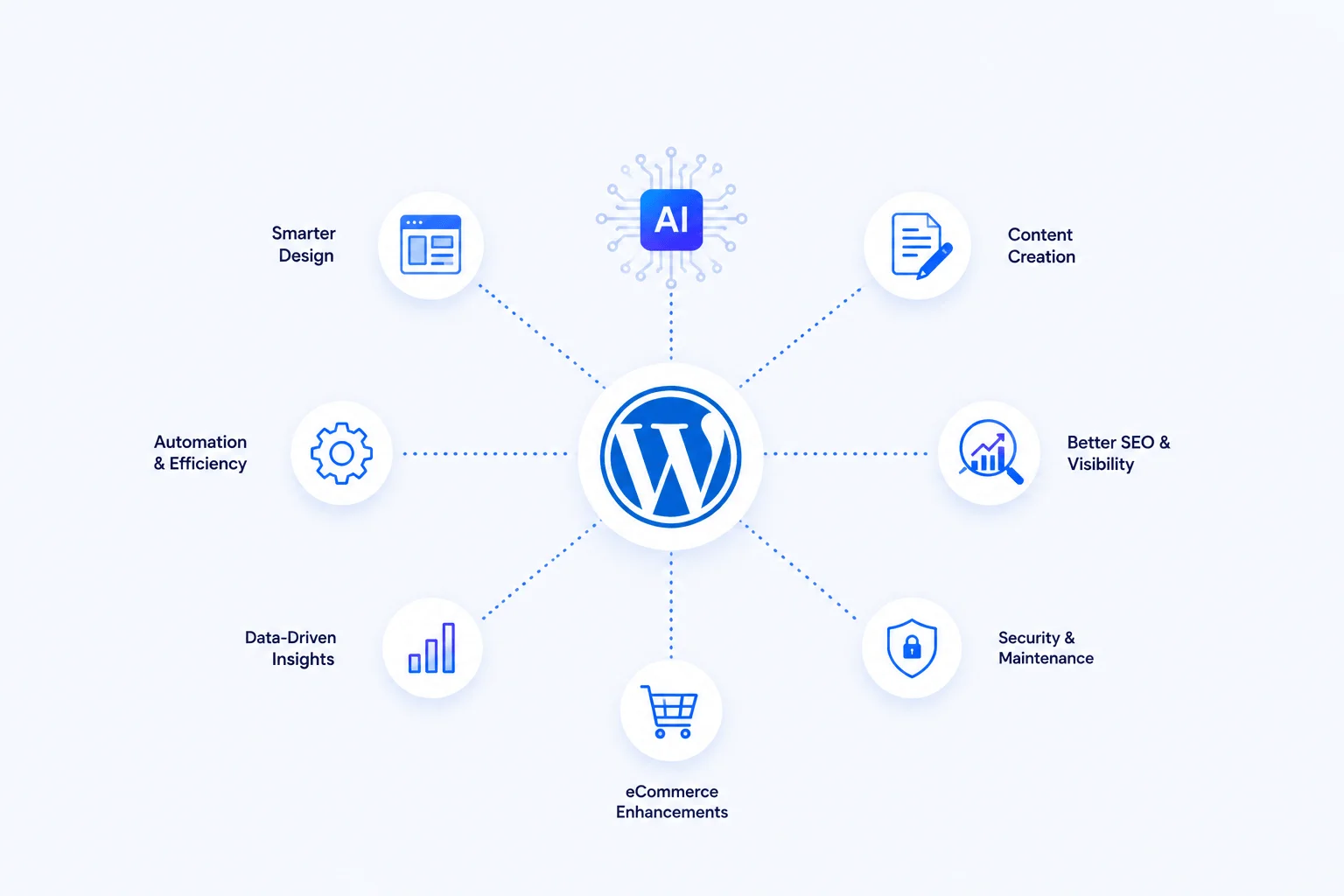
The AI website builders within WordPress first get to understand user goals, industry, and audience, and use that data to generate layouts, color schemes, typography, and content structure. While using the AI WordPress tools as a web developer, you get suggestions for optimized layouts, design patterns, responsive UI structures, etc.
2. Improve User Experience
AI for WordPress checks how users engage with a website through analytics to enhance user experience. As a web developer using the tools, you will get suggestions on call-to-action placements, optimized page layout, design adoption, and better optimization of the website.
AI-powered WordPress websites can show personalized content based on visitor behavior, recommend related posts or products, adjust layouts and calls to action, and deliver region-specific experiences. The feature can help online store owners determine which products are doing better and analyse and evaluate which products to sell more or market.
3. AI Automation
AI tools in WordPress help reduce the time that could be used for some WordPress processes. These include tasks such as content scheduling, content generation, internal linking, performance optimization, image optimization, security monitoring, performance caching, etc.
4. Content Creation and Optimization
AI tools integrated into WordPress can generate blog drafts based on topic prompts, rewrite content for enhanced clarity, suggest SEO friendly headlines and meta descriptions, and improve readability.
This is mainly through understanding context, brand voice, and user intent, which can improve readability and consistency when reviewed by an editor.
5. Smarter SEO and Search Engine Visibility
The AI-enhanced WordPress tools can analyze keyword intent, predict ranking opportunities, optimize internal linking, and suggest content structures.
6. AI-Assisted Website Design
Unlike previously, when as a web developer, you would have to start the website or online store development from scratch, nowadays AI tools assist with layout suggestions, recommending color schemes, recommending typography combinations, adjusting spacing, and creating block patterns based on your user goals.
AI plugins such as AI Engine and AI Block Editor integrate directly with Gutenberg, which helps developers design pages within the block editor.
7. Automated Maintenance
AI is being adopted in WordPress maintenance workflows as it regularly detects performance issues, optimizes images & assets automatically, identifies unused plugins, and monitors uptime. Since people disregard routine maintenance until a glitch occurs, AI-driven monitoring can help keep the site operational and performant.
8. Security and Threat Detection
AI can help to identify suspicious login behavior, detect malware patterns, block brute force attacks, and monitor file changes in real time. The advantage of AI is that it learns from behavioral patterns.
9. eCommerce Enhancements in WooCommerce
AI is changing how online stores operate, especially those with WooCommerce. With plugins such as WooCommerce AI addons, AI content generator, and Yoast WooCommerce SEO, you can generate optimized product descriptions, get recommendations on products based on customer behavior, inventory and stock management, personalized pricing and offers, and abandoned-cart recovery messages.
This reduces manual work for eCommerce developers, while helping store owners to make smarter business decisions.
10. Intelligent Analytics
AI-powered analytics tools such as Monsterinsights integrated with WordPress can identify content that drives conversions, detect drop-off points in user journeys, forecast traffic and engagement trends, and suggest improvements based on performance data.
11. Code Generation
AI tools can generate custom PHP, JavaScript, and CSS snippets, debugging errors in theme and plugin development, and providing suggestions for optimizing performance.
It can support full website management, content planning, and custom block generation.
AI is not meant to replace developers but to act as a collaborative assistant for enhanced productivity, creativity, and efficiency. Developers will not be phased out; they will just have smarter tools to help with design, optimizing code, and predicting user behavior.
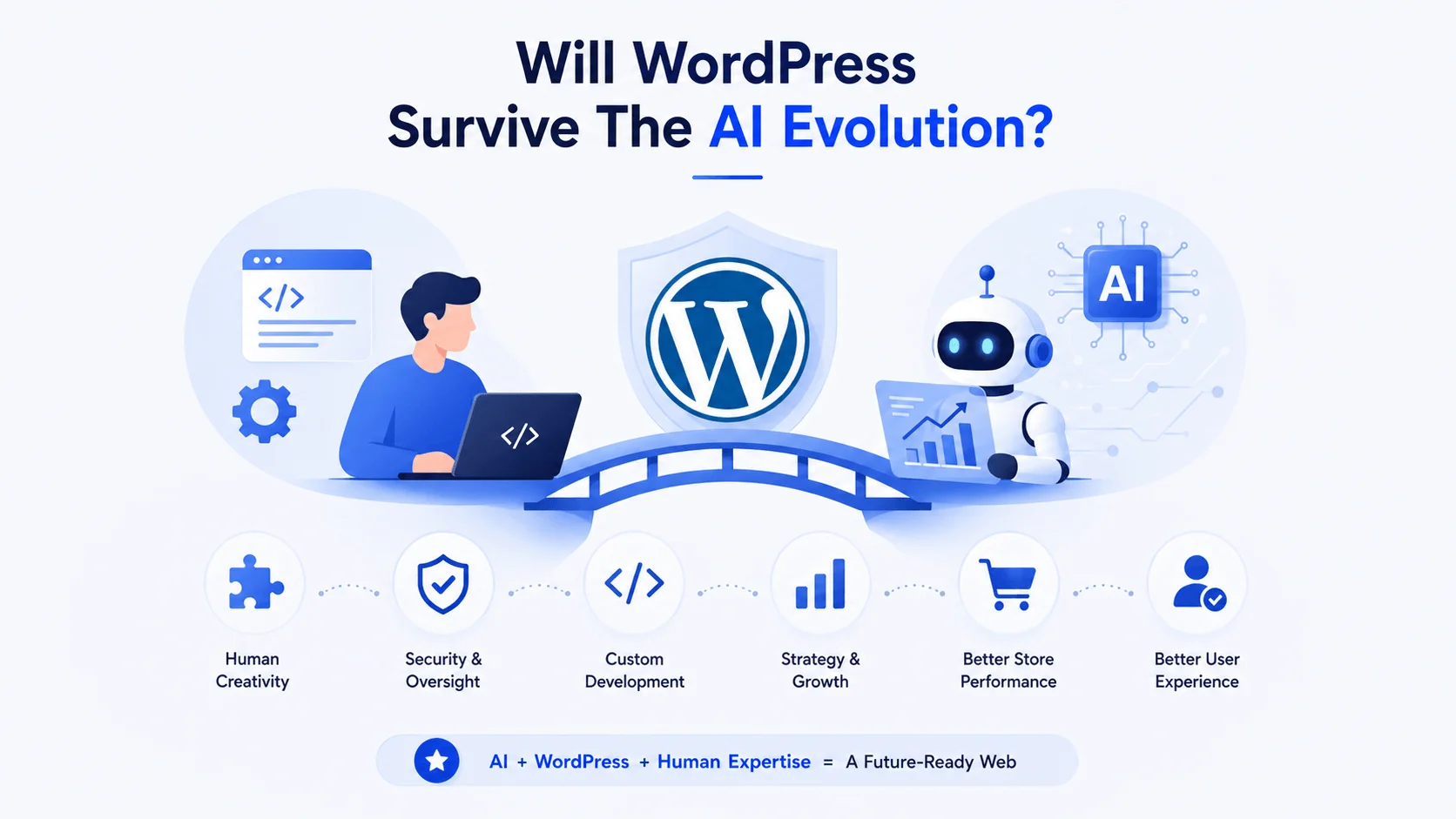
Will WordPress Survive The AI Evolution?
AI has major advantages, but comes with challenges of over-automation, generic content, and data privacy concerns.
We should treat it as a supplement to human creativity and expertise, not a replacement for it.
Developers and store owners can use AI to reduce repetitive work and free up time for strategy and custom development. AI still requires human oversight for custom development, troubleshooting, security, and business-specific requirements.
Moreover, WordPress is likely to remain relevant because businesses still need customization, integrations, governance, and technical oversight. Also, AI models depend on training data, and there is a high chance they will generate incorrect or unreliable outputs if the data used in WordPress development is inaccurate or outdated.
Developers are still needed to review AI outputs for bias, accuracy, and data privacy.
Additionally, relying too much on AI can make websites feel impersonal or repetitive. This can lead to a disconnected user experience. AI tools can assist with code, but require review before deployment.
Also, you should only use AI for most generic code and not specific hooks or tweaking specific plugins since it cannot be fully accurate. You can use AI for content and SEO optimization if you write the prompts well for content, meta descriptions, and keyword strategies.
If running an online store, it can be beneficial to use AI WordPress plugins to customize your WooCommerce store in all aspects like product descriptions, SEO, etc to boost visibility with the aim to increase sales.
Popular AI WordPress Plugins and Why They Are Being Used
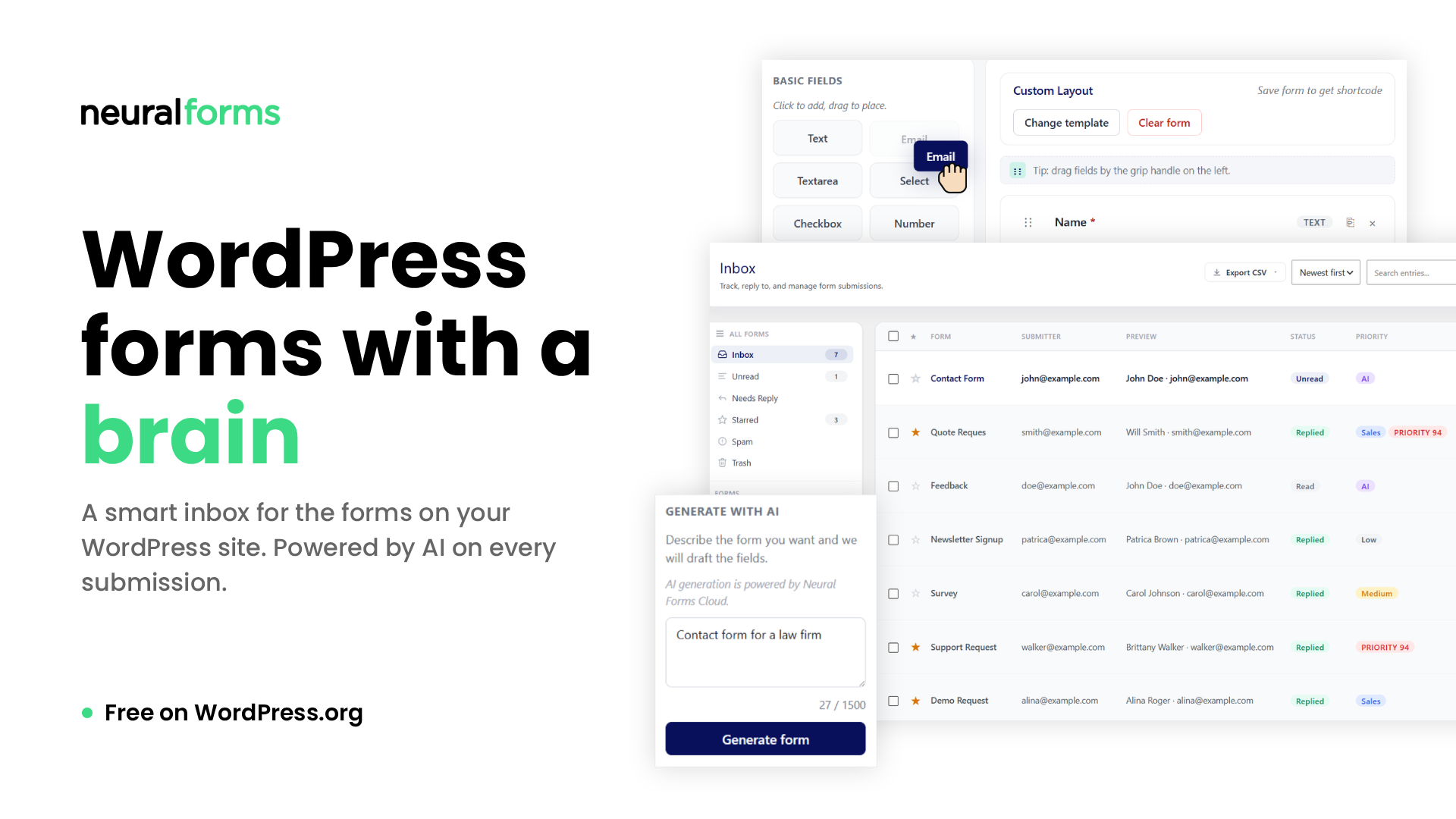
Some of the AI WordPress plugins include:
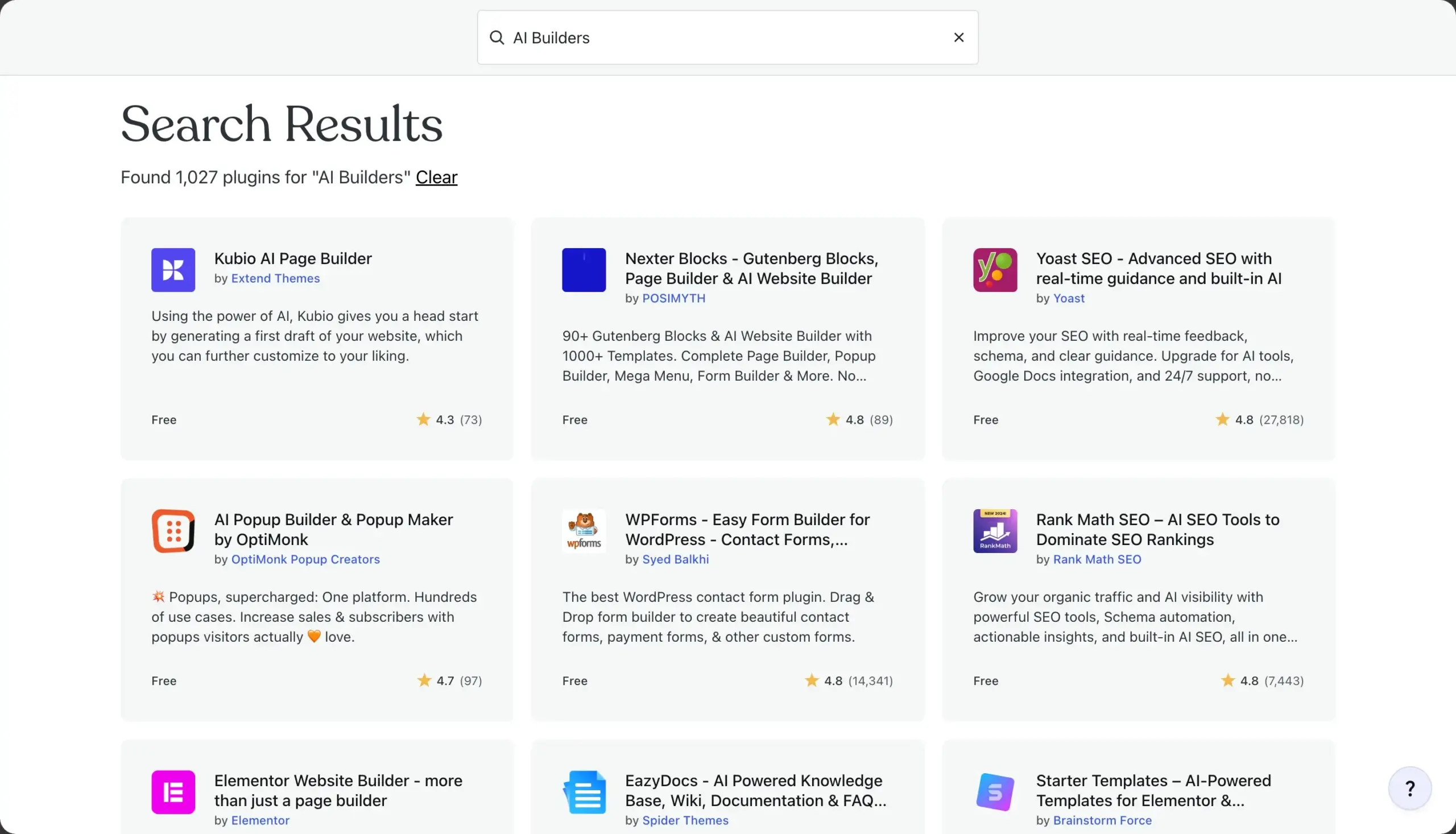
- AI website builders
- Jetpack AI assistant
- Elementor AI
- 10WebAIbuilder
With the importance of SEO, there are certain tools integrated with AI that are helping in the process. These were tools that were previously there and are integrated with AI, e.g.:
- Rank Math AI
- Yoast SEO with AI
- All in One SEO with AI
- Surfer SEO
The plugins help in analysis of search intent and semantic keywords, optimizing on-page SEO in real time, generating schema and structured data, and predicting ranking opportunities. This ensures visibility of the WordPress website.
With integrated AI tools in WordPress and WooCommerce, you can write and refine blog outlines, drafts, product descriptions, meta titles, meta descriptions, and optimized content directly within your workflow.
AI is also being used well in AI chatbots for enhanced customer support, automated security scanning, and behavioral analytics checking. Some other plugins include:
- WordPress AI engine
- Bertha AI
- Tidio AI chatbots
With an increase in integration of AI into existing plugins, AI is increasingly integrated into WordPress development workflows. Plugin safety varies; install only from trusted developers who maintain their plugins regularly.
AI plugins can reduce time on tasks like content drafting, metadata generation, and basic QA. These tools may contribute to better SEO performance, lower maintenance overhead, and improved ROI when paired with developer review.
You can also enhance user experience with AI-powered chatbots, speed up design with AI image generators and editors, use AI for accessibility enhancements, and automate testing to identify broken links, UI inconsistencies, and potential bugs before deployment.
WordPress Economy in the Face of AI
As much as AI is evolving in the WordPress ecosystem, plugin developers and theme developers will still be relevant for various reasons:
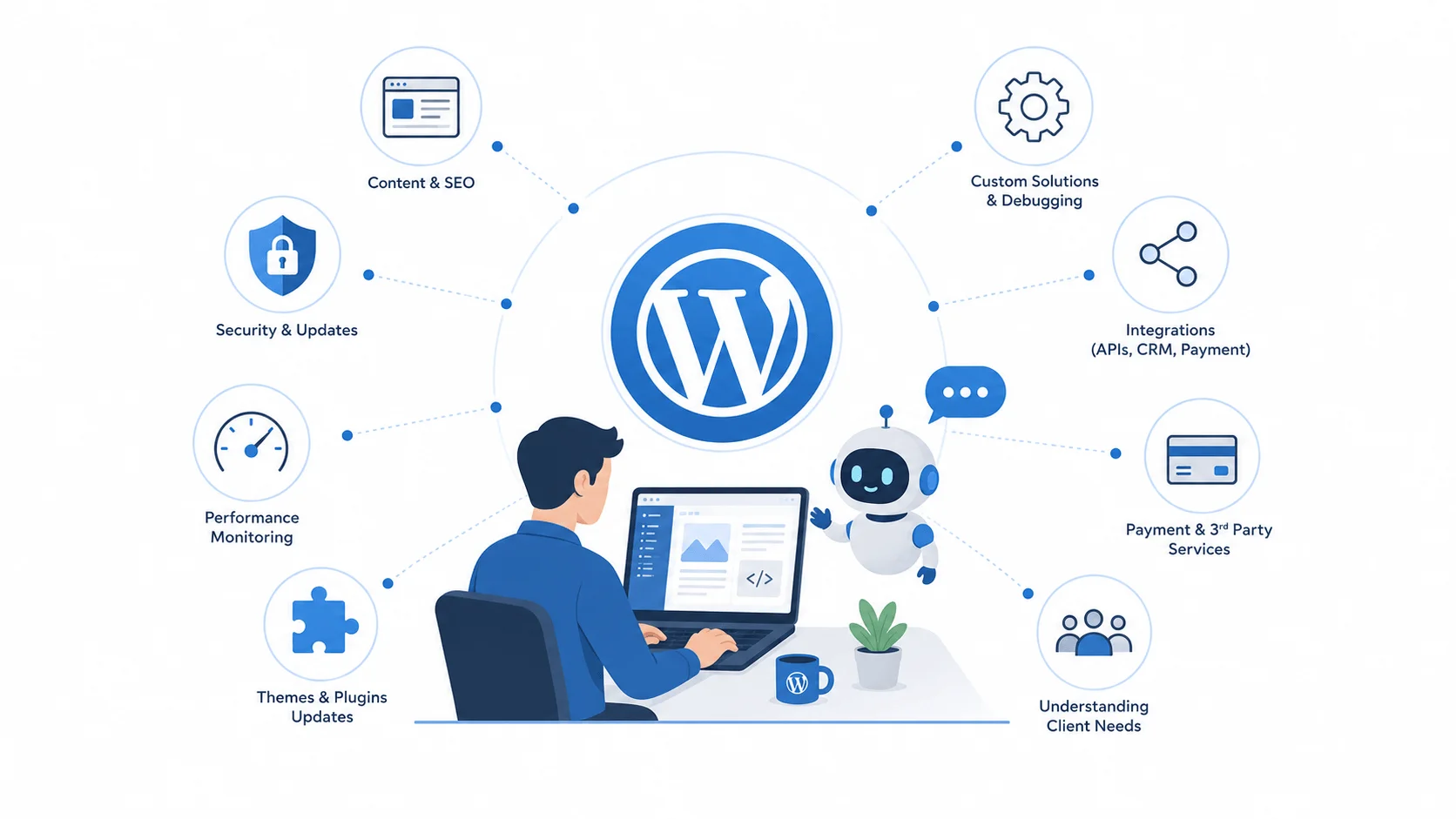
1. Digital Presence Needs
Launching a website is only the start. It still needs ongoing content updates, SEO maintenance, security patching, and performance monitoring to stay competitive. You still need a strong digital presence. AI works best when it supports existing workflows rather than replacing them.
2. Solving Complex Issues
The WordPress ecosystem is moving deeper towards AI support. Most third-party AI tools are good at basics, but show diminishing returns when questions and tasks become complex.
For debugging and troubleshooting, generative AI tools often fall short on complex, organization-specific issues. Theme and plugin developers remain important for complex debugging and custom work.
3. Understand Client’s Needs
WordPress web developers, theme developers, and plugin developers understand client needs & business goals and use that information to build essential systems and tools and also solve tricky problems.
4. Understand Complex Integrations
The WordPress specialists are also well informed about complex integration designs that suit different business goals while ensuring the right security strategies are put in place.
On top of this, they are well-versed in the creation of performance tools plus implementing them into WordPress websites.
5. Regular Updates of Themes and Plugins
Also, when issues arise with a plugin or theme, the respective developers release updates to address issues and maintain UI/UX quality.
6. Developers Craft Solutions Based on Clients’ Needs.
The use of WordPress requires integration with various 3rd party services like payment gateways, CRM systems, email marketing platforms, and custom APIs, which requires a person with enough expertise in the different technologies plus the ability to troubleshoot integration issues.
7. Rise of New Professions
It is leading to the rise of AI specialists or developers who focus on adding smart features to WordPress sites, and AI workflow consultants who are helping teams to use AI more effectively for development.
The custom AI plugin developers are also building tools for smart content, automation, and chatbots.
Keynote: Best Practices for Using AI in WordPress Projects
WordPress development remains relevant alongside AI for several reasons:
- You need to test AI-generated code before use.
- It is not recommended to overload your website with AI features, and don’t overuse AI-generated content.
- AI suggestions for specific plugins may not always be accurate, so cross-check them against the plugin’s official documentation.
- AI can give general background on plugins and themes, but check official documentation for current features and setup details.
- AI-generated translations can contain errors, so review them before publishing.
- AI can help draft custom plugin code, but developers still need WordPress-specific knowledge to review, test, and refine it before deployment.
- Be mindful of AI licensing and copyright terms, since AI-generated content and code may carry usage restrictions.
FAQs
AI can help WordPress teams draft product descriptions, generate metadata, and speed up repetitive development tasks. However, developers should still review code, SEO recommendations, and security-sensitive changes.
Some of the challenges are content accuracy, data privacy concerns, overreliance on automation, ethical considerations, and the need for human oversight.
AI tools can help partially for content, website creation, design suggestions, and code generation. However, it can’t work solely and will require human expertise for customization, branding, security, and strategic decision-making.
Conclusion
The AI revolution is reshaping the WordPress development landscape for website creation, content drafting, SEO, and interaction tracking. AI tools in WordPress are being used to automate repetitive tasks, enhance personalization, and improve website performance.
However, AI is not a replacement for human creativity, strategic thinking, and technical expertise. It requires both leveraging AI for more productivity while relying on skilled developers for quality, security, and a unique brand experience.
Therefore, a balance of both is recommended to stay competitive in an increasingly digital world.


0 Comments