
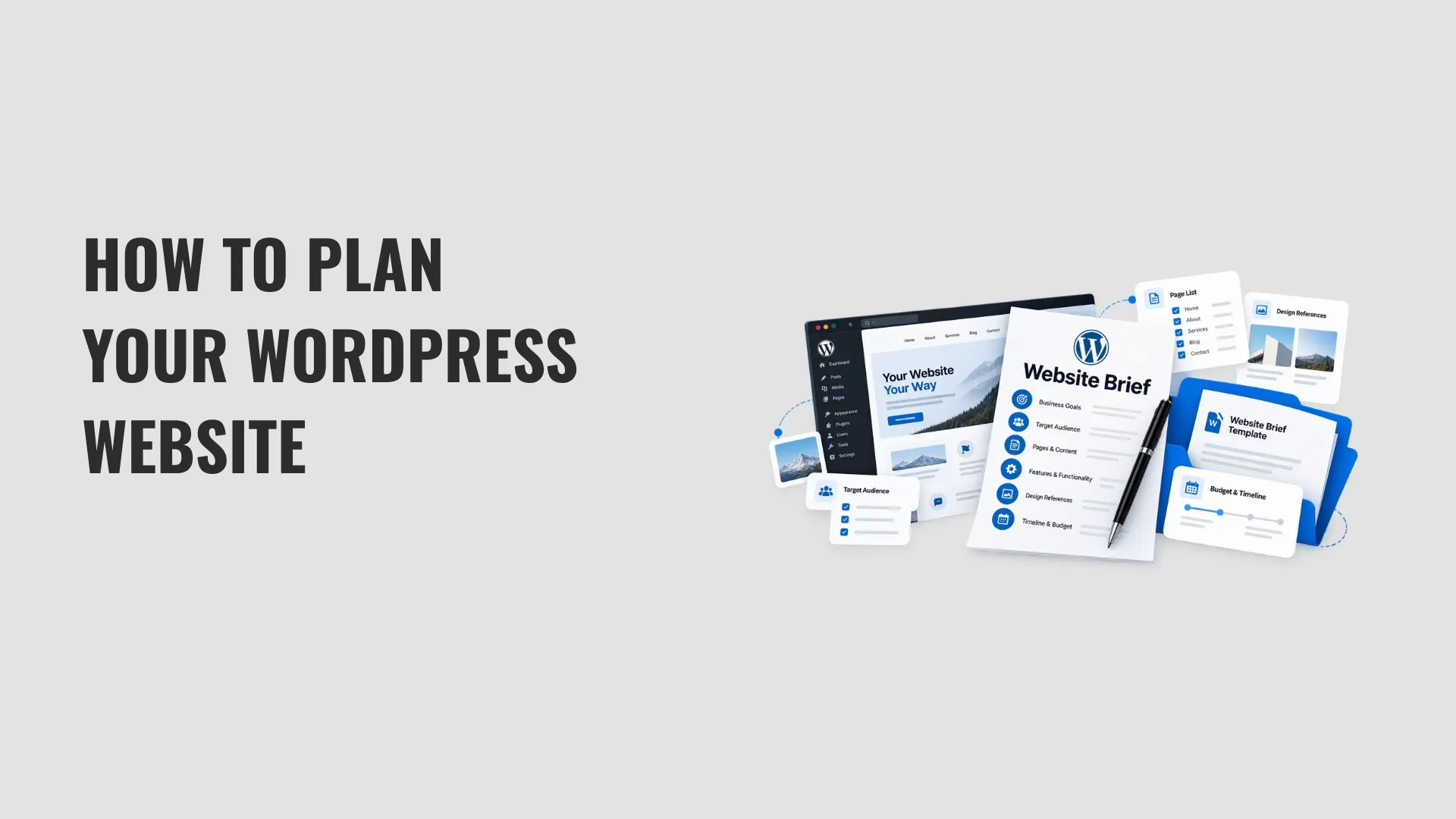
Before contacting a WordPress developer, write down what your website needs to achieve. A WordPress website brief gives the developer a clear description of your business, target visitors, required pages, and features, instead of scattering those details across emails.
Include the content you already have, the systems the site needs to connect to, your preferred launch date, and your budget range. A developer can use those requirements to identify unanswered questions and prepare a proposal with a defined scope.
This guide explains the 10 sections to include, shows a completed example for a fictional accounting firm, and provides an editable Word template for your own project.
What Is a WordPress Website Brief?
A WordPress website brief is a planning document that describes a website project's purpose, audience, scope, and practical requirements. It records your initial expectations; it is not a quotation, contract, or final technical specification.
For example, a small accounting firm might need six pages, descriptions of its services, a contact form, and a way for prospective clients to request consultations. The brief records these needs without requiring the owner to choose the plugins or write technical specifications.
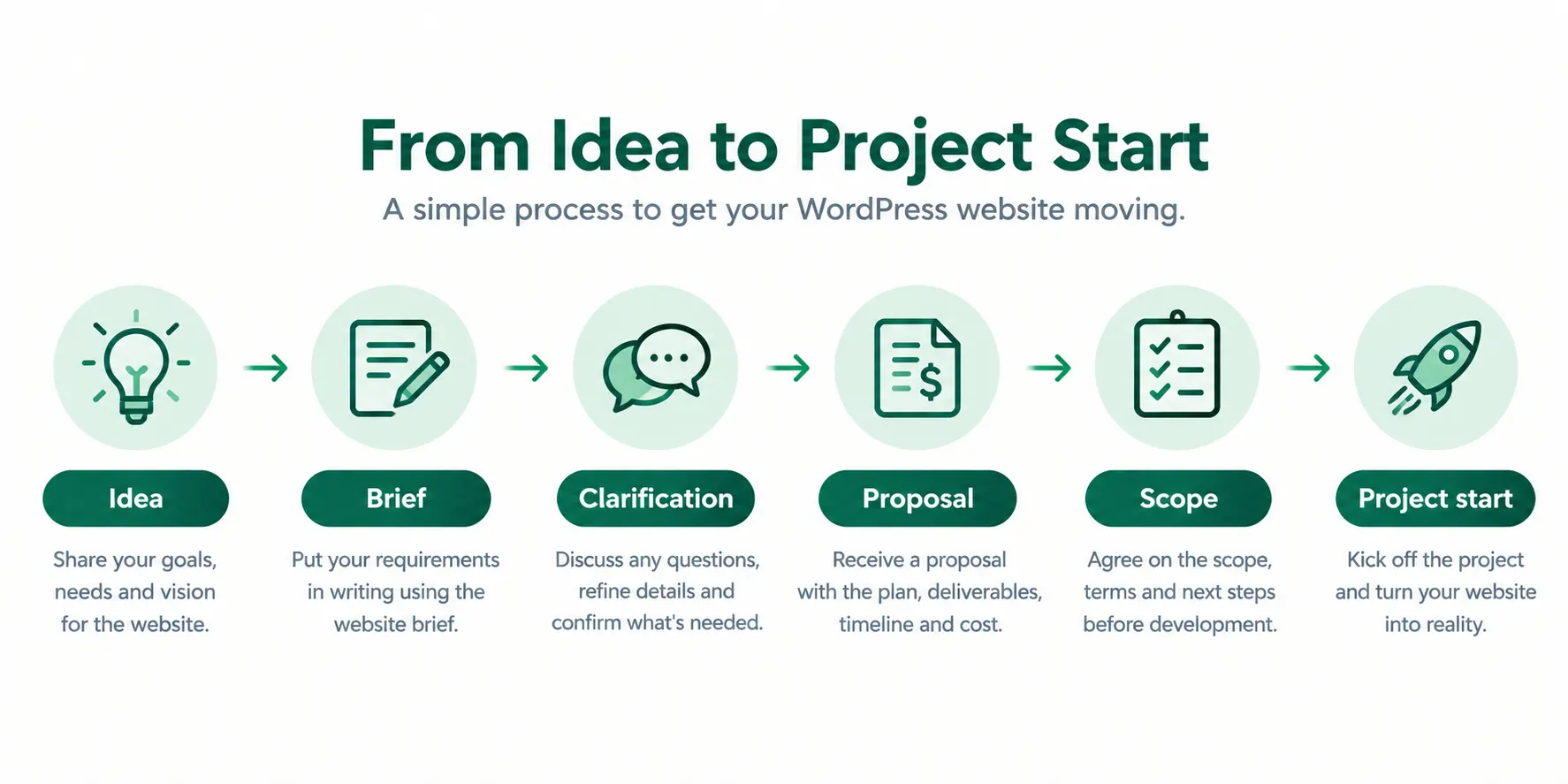
A developer can review the brief, raise questions, and use the answers to develop a proposal. Wireframes and mockups can come later, once the page requirements are agreed. Elicus has a separate guide to wireframes and mockups for that next stage.
Why Write the Brief Before Contacting a Developer?
A written brief keeps the first discussion focused on the same information: business goals, page requirements, features, available content, and constraints. It also gives you a consistent document to share when requesting proposals from more than one developer.
Identify what must be available at launch, what can wait for a later phase, and which details are still undecided. This reduces avoidable misunderstandings without requiring you to settle every design or technical choice before the first conversation.
How to Write a WordPress Website Brief: 10 Sections
Use the following 10 sections as your checklist. Each example shows what to tell a developer, rather than how to implement the feature in WordPress.
| Section | Question to answer | Example |
| 1. Business background and goal | What should the website achieve? | Generate accounting consultation enquiries. |
| 2. Target visitors | Who will use the website? | Small-business owners seeking bookkeeping services. |
| 3. Page list | Which pages are needed? | Home, About, three service pages, and Contact. |
| 4. Required features | What should visitors be able to do? | Submit an enquiry form. |
| 5. Design references | What websites illustrate your preferences? | Two URLs with notes on navigation and layout. |
| 6. Content and responsibility | Who supplies the content? | The business owner provides service descriptions. |
| 7. Technical requirements | What systems already exist? | New WordPress site with analytics. |
| 8. Timeline | When would you like to launch? | Late November, subject to planning. |
| 9. Budget | What is your estimated spending range? | A defined planning range with inclusions listed. |
| 10. Approval process | Who makes the final decision? | The practice manager approves the project. |
1. What Does Your Business Do, and What Should the Website Achieve?
Describe your business in two or three sentences, name your main services or products, and identify one or two outcomes the website should support. State the action you want visitors to take.
Example: "We provide bookkeeping, tax preparation, and accounting consultations to small businesses. Our website should explain these services and let potential clients request a consultation."
Your goal may be to receive enquiries, accept bookings, sell products, or publish information. Include practical constraints, such as serving only one city or needing separate pages for several services.
2. Who Will Visit the Website, and What Will They Need?
Define your main visitor groups and the information each group needs to find before taking action.
Example: "Our main visitors are small-business owners and sole traders seeking accounting support. They need to compare our services, find our contact details, and request a consultation."
You do not need formal customer personas. Identify the intended visitors, the questions they bring to the site, and the next step you want each group to take.
3. Which Pages Should the Website Include?
List the pages you expect at launch, such as Home, About, individual Service pages, Contact, or FAQ. Where possible, include a short note on what each page should contain.
If this is a redesign, separate pages you want to keep from pages to create, update, combine, or remove. Include existing URLs so the developer can review the current structure and plan any necessary redirects.
An approximate page count is enough at this stage. If you are unsure whether a topic needs its own page, describe the content and mark the page structure as a decision to discuss.
4. Which Website Features Are Required?
Describe what visitors should be able to do. Examples include submitting an enquiry, booking a consultation, making a payment, subscribing to updates, or accessing private member content.
Separate the requirements into two groups:
- Must-have for launch: functions that need to work when the website goes live.
- Later phase: functions that can be scoped and added after launch.
For the accounting firm, a contact form may be essential at launch, while appointment scheduling can be considered later.
If the site needs to connect to another service, name it and describe the expected result. For instance, specify where form submissions should be sent instead of choosing a plugin on the developer's behalf.
5. Which Reference Websites Explain Your Preferences?
Share two or three websites that illustrate a particular layout, navigation pattern, or feature you want to discuss. State exactly what you like about each example.
A screenshot of a menu, service page, or enquiry form is more useful than a link without explanation. Include existing brand colours, typography requirements, and brand guidelines if you have them.
Reference sites communicate your preferences; they are not instructions to reproduce another company's design.
6. What Content and Images are Available, and Who Will Provide Them?
List the materials you already have, including your logo, service descriptions, photographs, contact details, testimonials, and brand guidelines. Identify what still needs to be written or supplied.
Example: "Our logo is ready. The practice manager will provide service descriptions and contact details. Staff photographs are still being arranged for the About page."
For every outstanding item, record the person responsible and an expected handover date. If you have an existing site, identify the content to reuse, rewrite, or remove.
7. What WordPress and Technical Requirements Matter?
Describe your current setup and any requirements the developer needs to assess:
- Existing WordPress website, domain, and hosting arrangements.
- Analytics or tracking tools already in use.
- Important plugins and integrations.
- Accessibility, privacy, security, and backup requirements.
- Ongoing maintenance expectations.
If you do not have a website yet, say so. You do not need to select a WordPress theme, hosting plan, or plugins before the project is scoped; describe the result you need and the systems you already use.
List existing services and the outcomes you expect from them. Do not put passwords, API keys, or other login credentials in the brief; arrange a secure handover if the developer needs access later.
8. What Is Your Target Launch Date?
Give a preferred launch date and any fixed business dates, such as an event or campaign that depends on the website. Note dependencies that may affect the schedule, including content delivery, domain setup, and approvals.
Example: "Our preferred launch window is late November 2026, subject to an agreed project plan and the timely approval of content."
Treat this as a planning target, not a guaranteed development deadline. The developer can confirm a workable schedule after reviewing the scope.
9. What Is Your Estimated Budget, and What Should It Cover?
Provide a planning range and identify which costs you expect it to include.
Separate the initial build from other possible costs, such as copywriting, migration, domain registration, hosting, paid themes or plugins, subscriptions, and ongoing maintenance. Ask the developer to state which items are included in the proposal.
Example: "Our illustrative budget range is USD 800 to USD 1,200 for development. Please quote hosting, content creation, paid plugins, and ongoing subscriptions separately."
The range is a starting point for a proposal, not a confirmed project price. Costs and feasibility depend on the final scope. This fictional amount is for illustrating the brief format, not Elicus pricing guidance.
10. Who Will Review and Approve the Website?
Name the primary contact, everyone who needs to review content or design, and the person who can give final approval. Specify how feedback will be collected.
Example: "The practice manager is the primary contact and final approver. One accountant will check service descriptions, and the team will aim to send consolidated feedback within three working days."
If the approver is undecided, mark that decision as open. An agreed review process helps the developer plan feedback rounds and avoid conflicting requests.
A Filled-In WordPress Website Brief Example
The following fictional example shows how the 10 sections work together for Cedar Lane Accounting. All names, reference URLs, dates, and budgets are illustrative and should not be treated as market prices or delivery estimates.
| Section | Completed example |
| 1. Business goal | Explain bookkeeping, tax preparation, and consultation services, then generate enquiries. |
| 2. Target visitors | Small-business owners and sole traders looking for accounting support. |
| 3. Pages | Home, About, Bookkeeping, Tax Preparation, Accounting Consultations, and Contact. An FAQ may follow later. |
| 4. Features | Contact form requesting name, email, service of interest, and message. Click-to-call phone number required. Appointment booking may be added later. |
| 5. Design references | https://example.com/reference-one and https://example.com/reference-two. The firm likes clear navigation and visible contact details. |
| 6. Content | Logo available. The practice manager will coordinate service copy and contact details by 30 October 2026. |
| 7. Technical requirements | No current WordPress website. Domain and hosting are not arranged. Discuss analytics, accessible forms, backups, maintenance, and data privacy needs. |
| 8. Timeline | Preferred launch window is late November 2026, subject to content approval and the agreed project plan. |
| 9. Budget | Illustrative planning range of USD 800 to USD 1,200 for development only. Hosting, content, paid plugins, and ongoing subscriptions should be estimated separately; not Elicus pricing guidance. |
| 10. Approval | Fictional practice manager John Smith is the primary contact and final approver. One accountant reviews service descriptions. |
Five Website Brief Mistakes to Avoid
1. Describing a Vague Goal
Weak: "We want a professional website."
Better: "We need a website that explains our three accounting services and lets visitors request consultations through a contact form."
2. Leaving the Page Count Undefined
Weak: "We need all the usual pages."
Better: "We need six initial pages: Home, About, three service pages, and Contact. A FAQ page can be added later."
3. Mixing Essential Features With Future Ideas
Weak: "We need forms, payments, bookings, memberships, and a blog."
Better: "Launch requirements are a contact form and click-to-call number. Appointment booking and a blog are future possibilities."
4. Failing to Assign Content Responsibilities
Weak: "Content will be provided."
Better: "The business owner will supply service descriptions by 30 October 2026. The logo is ready, but staff photographs still need to be arranged."
5. Omitting the Budget or Approver
Weak: "Budget to be discussed. Everyone will review the website."
Better: "Our planning range is USD 800 to USD 1,200, subject to approval. The practice manager will give final approval after the service descriptions are reviewed."
Download the Free WordPress Website Brief Template
Use the editable Word document to record your project requirements before requesting a proposal.
Download the free WordPress website brief template (DOCX)
The download includes a blank worksheet with prompts and space for your answers, followed by a completed fictional example. Open the DOCX in Microsoft Word or another editor that supports Word documents.
The template covers the same 10 sections discussed above: business goals, target visitors, page list, required features, reference websites, content responsibilities, technical requirements, timeline, budget, and approvals.
Fill in the details you know, write "To be decided" beside open questions, and add relevant page URLs or screenshots. A brief helps start the scoping conversation; it does not replace a signed agreement.
What Happens After You Send Your Brief?
The developer may schedule a discovery call to clarify priorities, confirm requirements, and discuss any open decisions in the brief. Questions about integrations, content ownership, and launch dates should be resolved before a final scope is agreed.
A proposal should explain the deliverables, assumptions, exclusions, estimated costs, and project milestones. Read it against your brief, confirm which requirements are included, and agree on the scope and applicable project terms before development starts.
If you want to discuss a WordPress project with Elicus, submit your completed brief through the Hire Us enquiry form.
FAQs
Include the 10 core areas: business goals, target visitors, pages, features, reference sites, content owners, current technical setup, timeline, budget, and approval process. Mark unanswered questions as undecided instead of leaving them out.
No. The brief describes the requirements you want reviewed; the contract or signed agreement defines the accepted scope, responsibilities, pricing, and applicable terms.
For a small business site, start with a short summary and a table listing the pages, launch features, content owners, budget, and timing. Attach longer inventories or technical requirements separately when they are needed.
No. Identify the pages and features you need, then add two or three reference URLs with notes on the relevant parts. Wireframes and mockups can be discussed after the requirements are reviewed.
Yes. State a planning range and clarify whether it includes content, hosting, paid plugins, subscriptions, and maintenance so the developer can identify what needs a separate estimate.
Yes. The DOCX download above contains prompts for all 10 sections and a separate completed fictional example. Replace the prompts with your own requirements and share the file when requesting a proposal.
Conclusion
A useful brief makes the first development conversation more specific. Complete the 10 sections, mark open decisions, and review the requirements before requesting a quote. When you are ready to discuss implementation, send the completed document to Elicus through its project enquiry form.


0 Comments